Create and Manage Quotes
Prepare a customer offer, confirm it, record the outcome, and continue to a sales order or an invoice.
A quote records the prices and terms you offer a customer. It does not move or reserve stock and does not create a receivable.
You need: the Sales permission; the customer and the items must already exist. Confirming needs the permission to confirm sales documents and an active Quote document series.
Create the quote
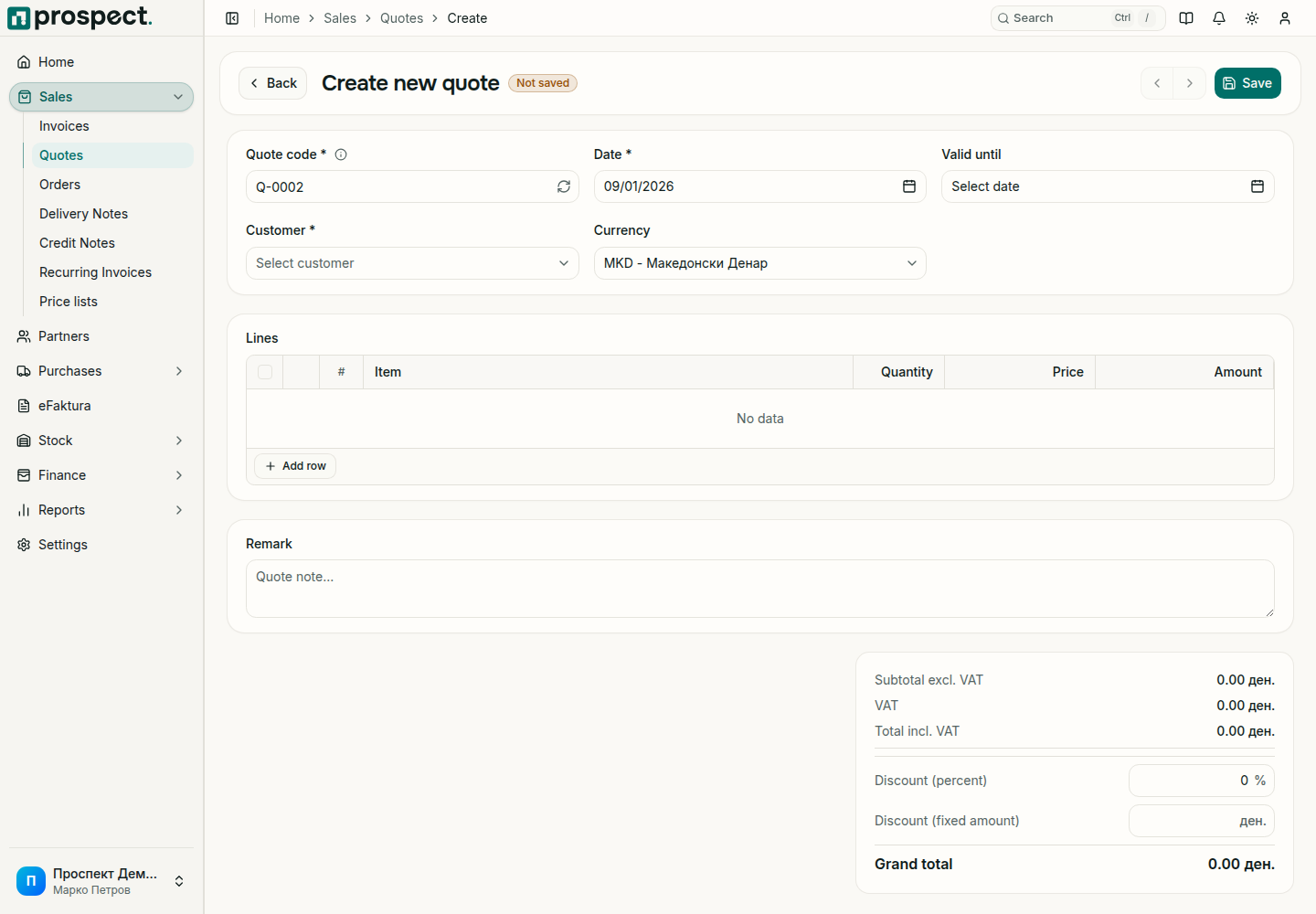
Check the suggested Quote code, set the Date, and optionally a Valid until date.
Select the Customer. If the customer has a price list or a default discount, the lines area says which one applies. Change the Currency only when you quote in another currency.
Under Lines, choose Add row for each product or service and enter the quantity and price. The totals below update as you type.
Optionally enter a Discount (percent) or Discount (fixed amount) for the whole quote and a Remark that prints on the document.
Choose Save. The quote is now a draft that you can keep editing.
Confirm and follow up
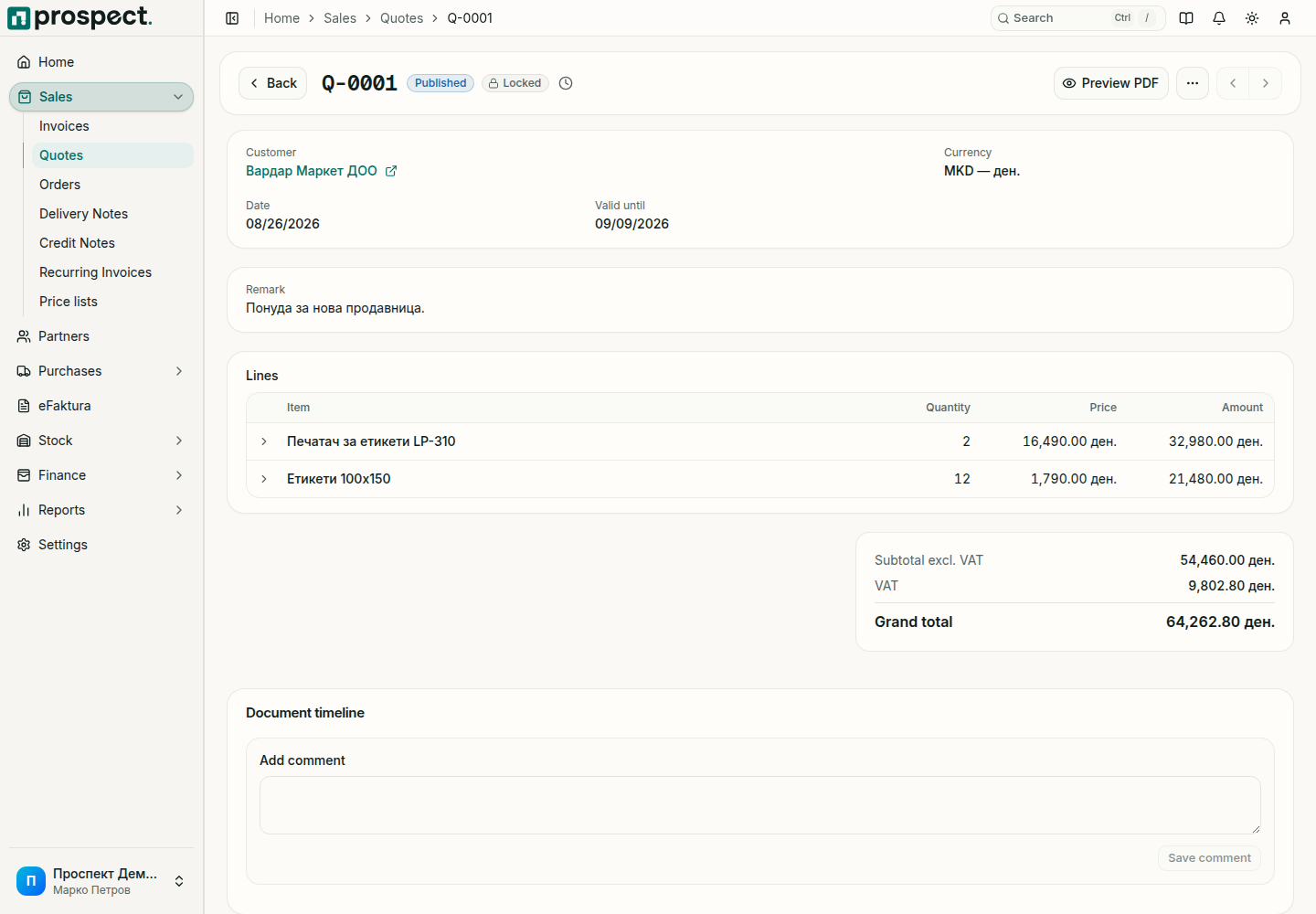
Open the draft, choose Preview PDF and check the customer, lines, VAT and totals.
Choose Confirm. The quote gets its official number, shows Published and Locked, and can no longer be edited.
Send it from the ⋯ menu with Send by email, or download the PDF.
When the customer answers, use Approve quote or Reject quote. For an accepted offer choose Convert to order, or Generate invoice when you invoice without an order.
Good to know
- The order or invoice created from a quote copies its customer, lines and prices and is linked back to it.
- Reverse cancels a confirmed quote. The record stays in the list for the audit trail.
- If confirming reports that no number can be assigned, check that an active Quote series exists for the fiscal year of the quote date.
- A quote in another currency does not use a price list in the company currency; the notice above the lines says so.
Next: Sales orders and Price lists.