Credit Notes and Customer Returns
Reduce or reverse an invoiced amount with a credit note and, when goods come back, return them to stock.
Use a credit note to reduce or reverse what a confirmed invoice charged. Use a return note when products physically come back to a warehouse. Some corrections need both. Neither is replaced by a negative payment.
You need: the Sales permission, the permission to issue credit notes, an active Credit Note document series, and the confirmed invoice you are correcting.
Create a credit note
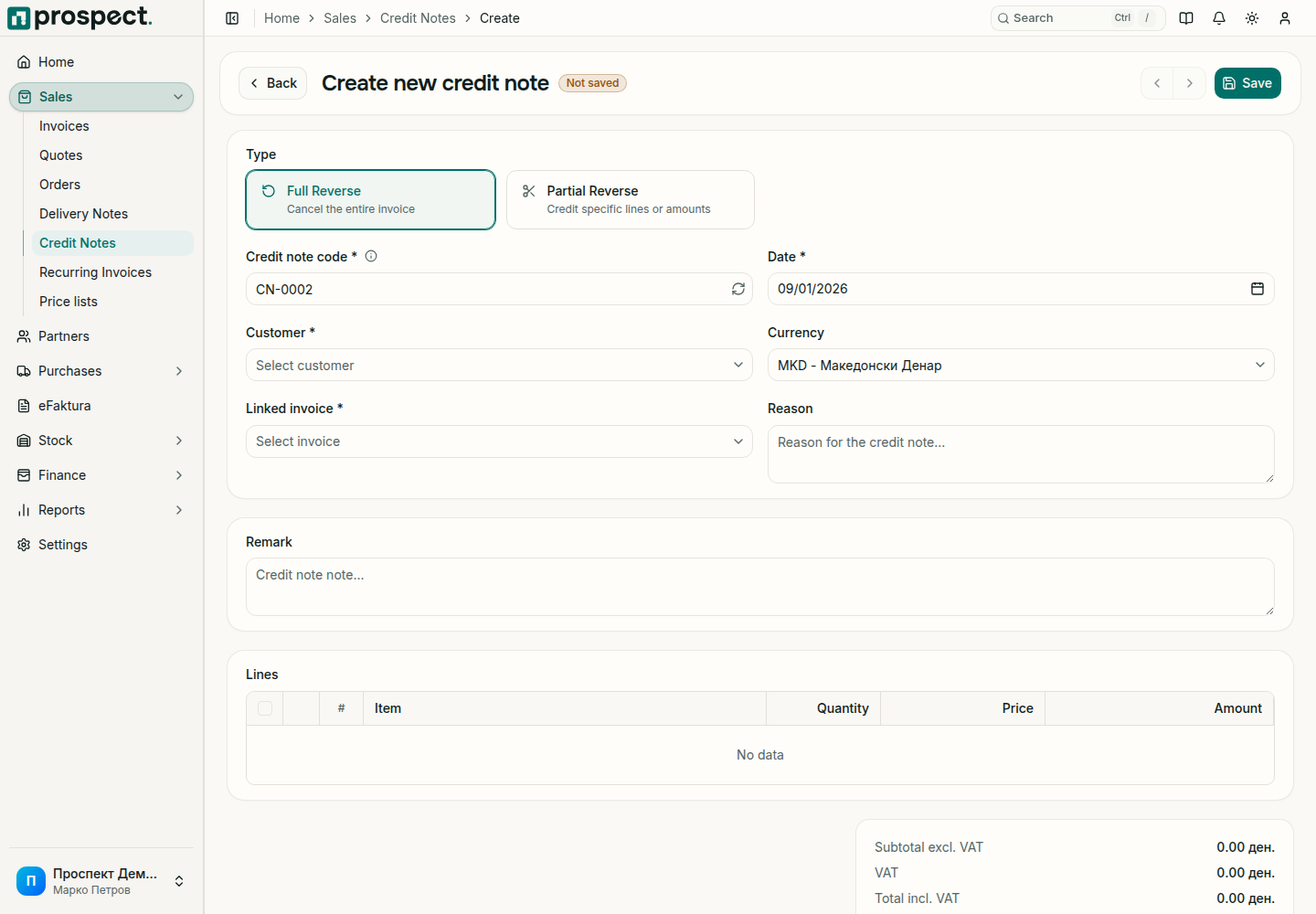
Open Sales → Credit Notes and choose Create, or start from the invoice you are correcting.
Choose the type. Full Reverse cancels the whole invoice. Partial Reverse credits selected lines or amounts.
Check the Credit note code and Date, select the Customer and the Linked invoice, and enter a clear Reason.
For a partial credit, keep only the lines and quantities you are crediting. Prospect does not let you credit more than what remains on the invoice.
What confirming changes
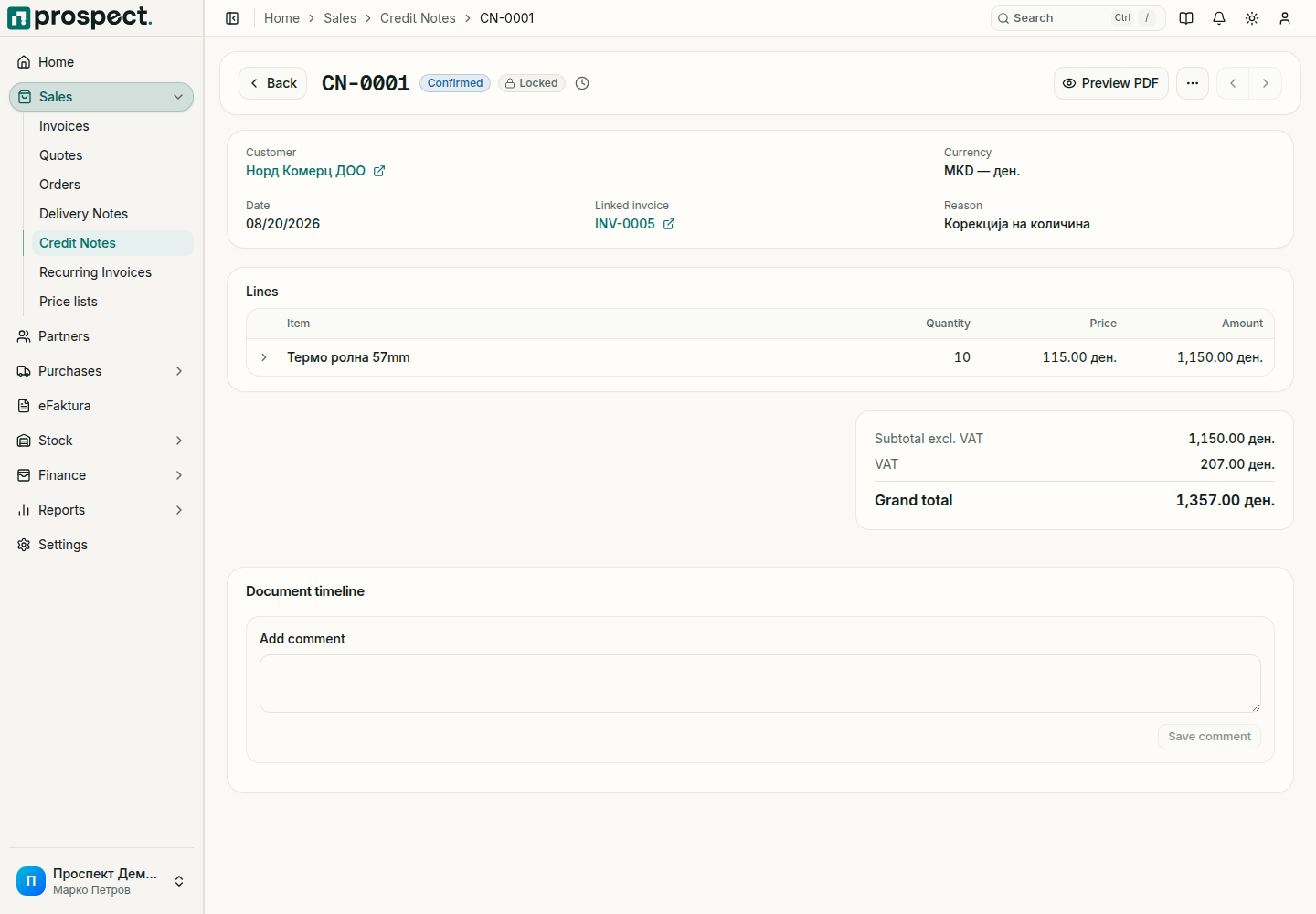
- The customer's receivable goes down by the credit note total; see Open items.
- The credit note appears on the customer statement and reduces VAT in the period of its date.
- When eFaktura is enabled, the credit note is prepared for sending like an invoice.
- Stock does not change. If goods came back, also record a return note against the delivery note.
Corrections and limits
Reverse cancels a confirmed credit note when nothing depends on it and its date is not in a locked period. A credit note cannot exceed the invoice it is linked to, and an invoice that is already fully credited offers nothing more to credit.
See Returns and loan issues and Open items.