Review and Accept Inbound eFaktura Documents
Review supplier invoices received through eFaktura, resolve mappings, accept or reject them, and continue in Purchases.
Invoices your suppliers send through eFaktura arrive in the eFaktura workspace. You compare each one with what you ordered and received, then accept or reject it.
You need: access to the eFaktura workspace. Accepting and rejecting are signed, so they need your own certificate and the local signer.
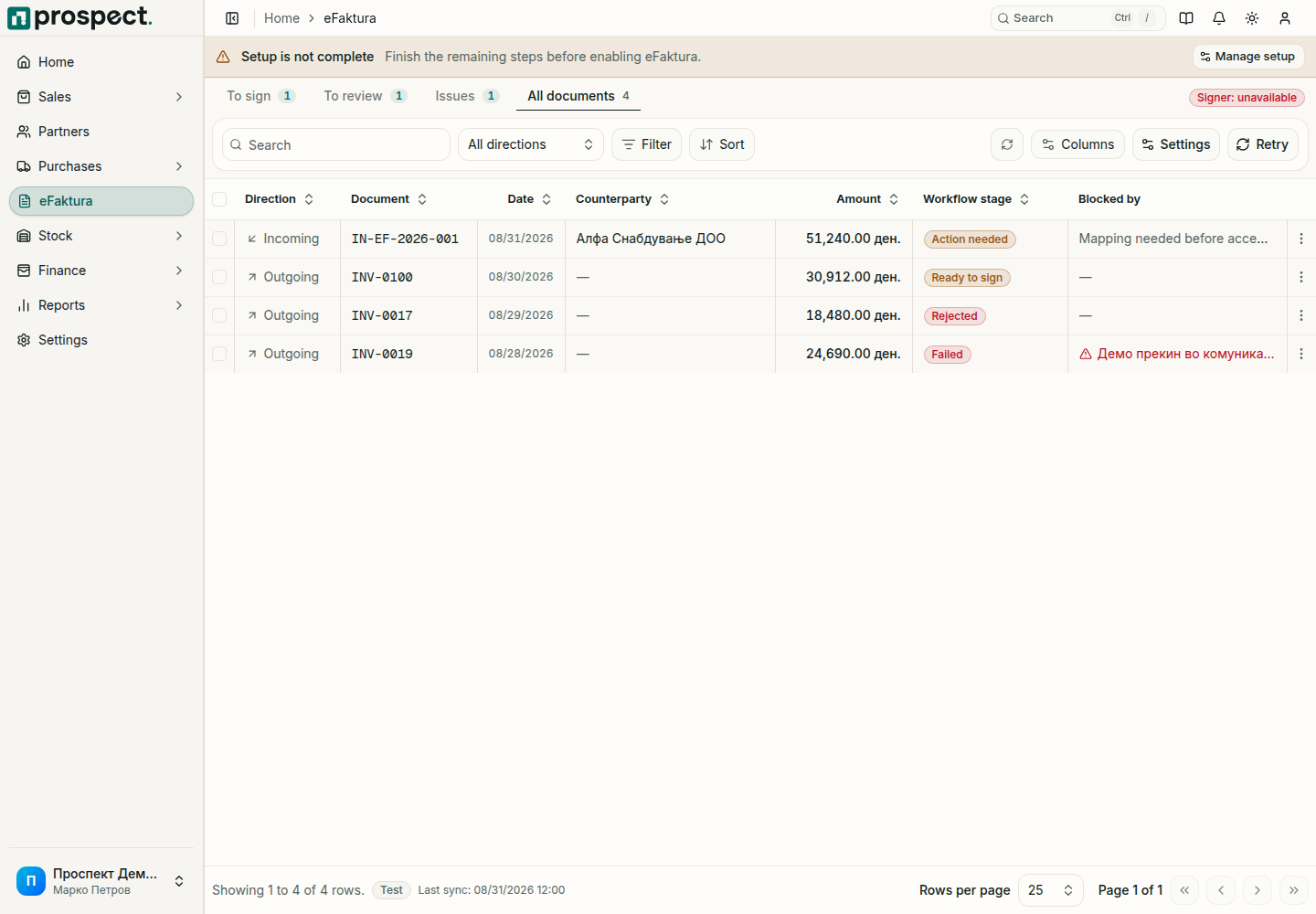
Open eFaktura and select To review. It lists the incoming documents that wait for your answer.
Choose Review on a row and compare the supplier, number, dates, currency, lines, VAT and total with your order and goods receipt.
If part of the invoice is not matched to your records yet, the dialog says what. A supplier you do not have is added with one button. Items you do not have are added together: the button says how many, for example Add 3 new items as products, with or as services beside it. They take the supplier's own code and description, and Prospect remembers the match for the next invoice from that supplier.
Choose Accept, or close the dialog and choose Reject from the row's menu with a reason. Either answer is signed and sent to UJP.
Accepting creates the supplier invoice under Purchases → Incoming documents; complete it and post it like any other supplier document. Accept, enter it later accepts now and leaves the supplier invoice for when you are ready.
Good to know
- Accepting an eFaktura does not pay it. The payable appears when the supplier invoice is posted in Purchases, and it is settled by a payment.
- An accepted eFaktura is linked to one supplier invoice, so the same document cannot be entered twice.
- In Purchases → Incoming documents an eFaktura that still needs mapping shows Complete mapping as its next action.
- Several incoming documents can be accepted together: tick them and confirm. Only the ones still waiting for a decision are processed.
- A decision sent to UJP cannot be taken back in Prospect. When a supplier sends a correction, process the new document according to its kind and keep the original in the history.