Bank statement import and payment reconciliation
Prospect imports the bank statements you download from online banking and matches each line to the invoices it pays. It reads ISO 20022 camt.053, SWIFT MT940, Format 300 and CSV files, suggests the partner and the open items, and records the payment when you confirm. It is included in every plan, from 49 € per month per company.
What you can do
- Import statements in camt.053 (XML), MT940, Format 300 and CSV.
- Combine the header and transaction files of a Format 300 statement in one import.
- Prevent the same bank lines from being imported twice.
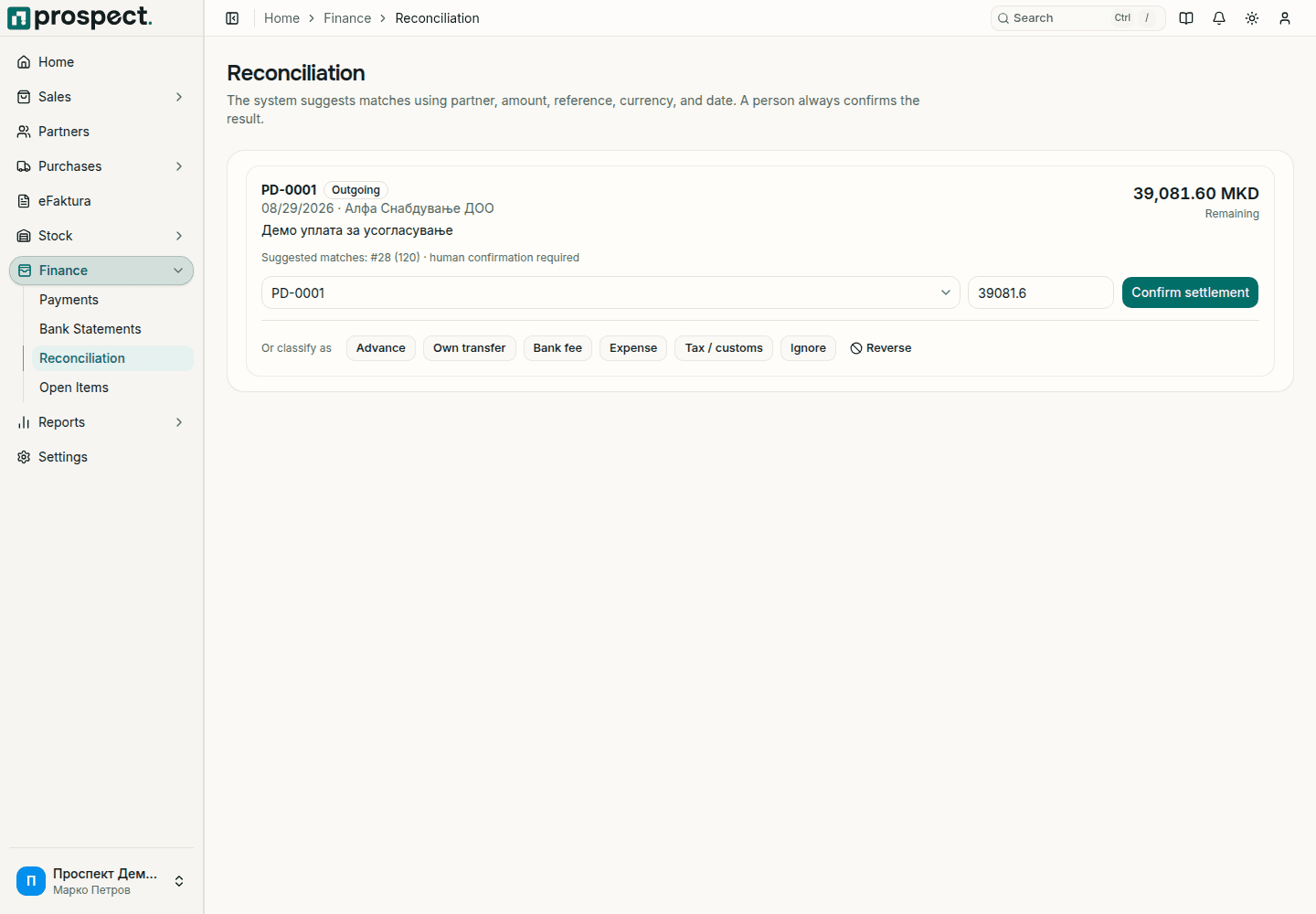
- Get a suggested partner and candidate open items for each bank line.
- Allocate one bank line across several open invoices.
- Record incoming and outgoing payments by hand when there is no statement.
- Reverse a wrong match; the bank line and balances are restored and the audit record is kept.
- Produce customer and supplier statements with a running balance.
How it works
- 1Read the guide
Import the statement
Choose the bank account, select the file from online banking and review the detected period and lines.
- 2Read the guide
Match the lines
Review the suggested partner and open items for each line, allocate the amount and confirm.
- 3Read the guide
Handle the rest
Record payments that have no statement line by hand, and reverse an allocation when it was matched wrongly.
Built in Macedonia for Macedonian companies
- Reads MT940 and Komercijalna banka's Format 300 (.300), as well as camt.053 and CSV.
- Prospect does not connect to your bank; you upload the file you download from online banking.
- Prospect is not a general ledger; confirmed payments reach your accountant through the accounting export.
- Confirming a match requires the separate Reconcile permission.
How it connects to the rest of Prospect
Prospect compared with spreadsheets and manual work
| Task | Prospect | Spreadsheets and manual work |
|---|---|---|
| Entering payments | Imported from the bank file | Typed line by line |
| Finding the invoice | Suggested partner and open items | Searched by amount and reference |
| Duplicates | Repeated import of the same lines is prevented | A payment can be entered twice |
| Corrections | Reversal that keeps the audit record | Overwritten without history |
Frequently asked questions
- Which bank statement formats does Prospect support?
- Four: ISO 20022 camt.053 (XML), SWIFT MT940, Format 300 and CSV.
- Does it work with my bank?
- The import is verified with statements from Komercijalna banka, in MT940 and in Format 300. If your bank offers an MT940, camt.053 or CSV export, try one statement before relying on the import; if it does not load, send it to support.
- Does Prospect connect directly to my bank?
- No. You download the statement from online banking and upload the file to Prospect.
- Komercijalna banka delivers a Format 300 statement as several files. Does that work?
- Yes. Select the header file and the transaction files together in the same import.
- Can one payment cover several invoices?
- Yes. A bank line can be allocated across several open items, up to the line amount and each outstanding balance.
- What if I match the wrong invoice?
- Use the reverse action. It restores the bank line and the open item balances and keeps the audit record.
Pricing
Bank statements is part of every Prospect plan: 49 € per month or 490 € per year per company, with all modules, eFaktura and multiple users at no extra charge.