Reconcile Bank Lines
Match each imported bank line to the invoice or supplier document it pays, or classify it, and reverse a wrong match.
Finance → Reconciliation lists every bank line that is not yet matched. For each line Prospect suggests the open item it most likely pays; a person always confirms.
You need: the Finance permission and the permission to reconcile transactions. Import the lines first under Bank statements.
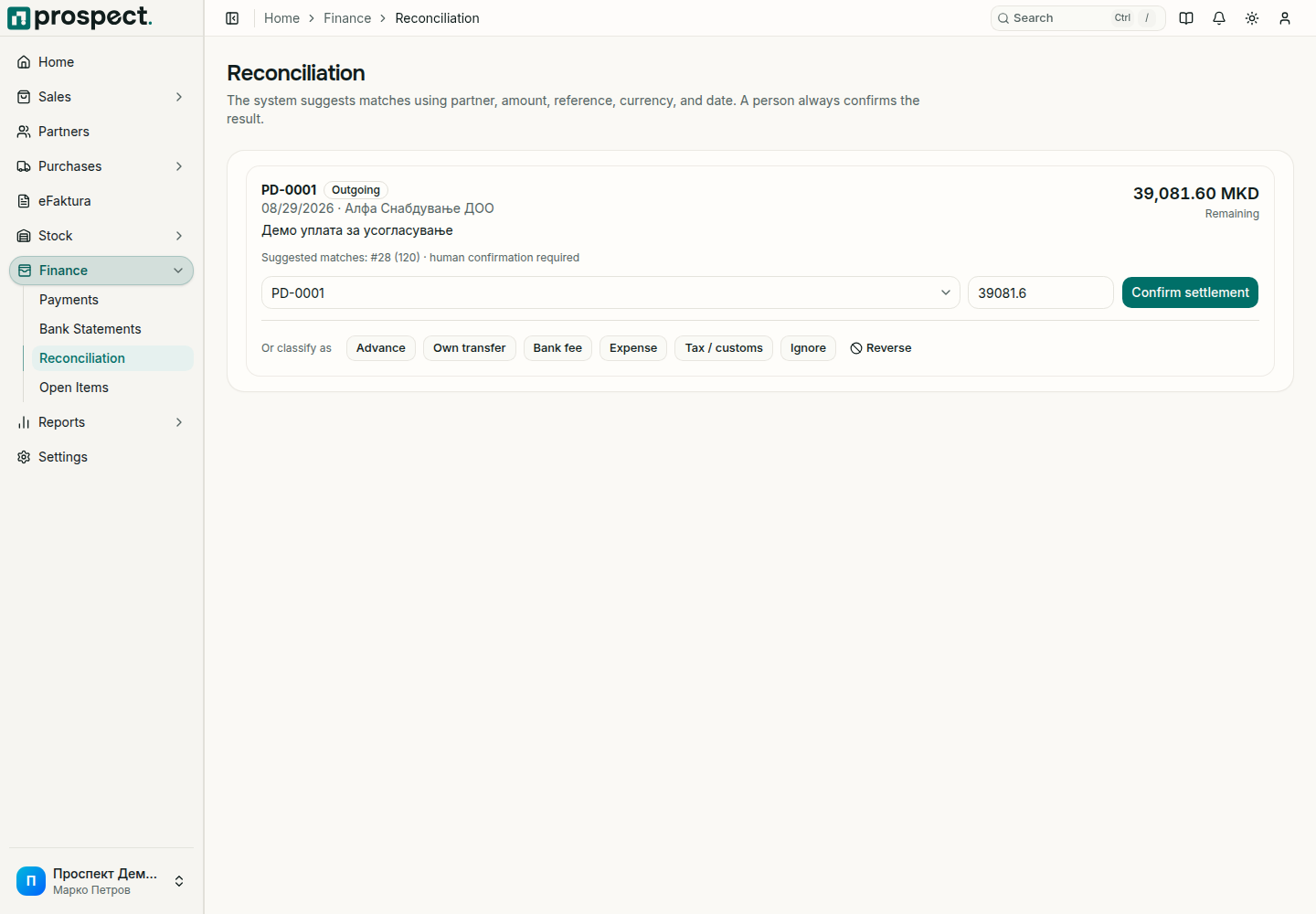
Match a line
Open Finance → Reconciliation and read the card: direction (Incoming or Outgoing), date, partner, purpose and amount.
Check the suggested match. Prospect compares partner, amount, reference, currency and date. To choose differently, open Select an open item and pick the invoice or supplier document that was paid.
Check the amount to settle. Lower it when the line pays only part of the open item.
Choose Confirm settlement. The open item is reduced, the document's payment status is updated, and the line leaves the list.
Lines that do not pay a document
Use the buttons under Or classify as when a bank line is not the payment of an invoice or supplier document:
| Choice | Use it for |
|---|---|
| Advance | Money received or paid before the document exists. It stays on the partner as an advance. |
| Own transfer | A transfer between your own accounts. |
| Bank fee | Charges the bank took. |
| Expense | A cost that has no supplier document. |
| Tax / customs | Payments to tax or customs authorities. |
| Ignore | A line that should not be recorded, for example one entered by mistake. |
Correct a wrong match
Open the transaction under Payments and choose Reverse. The open item gets its balance back and both records stay in the history. Then match the line again.
Never delete or recreate an invoice or supplier document only to change a bank match.
Good to know
- Whether an overpayment can stay as credit on the partner, and whether supplier advances are allowed, is set under Settings → Workflow Policy.
- A settlement cannot exceed the bank line or the open item's remaining balance.
- A line dated in a locked fiscal year needs the period reopened or an authorized override.