Perform and Post an Inventory Count
Compare physical counts with system stock and post approved variances.
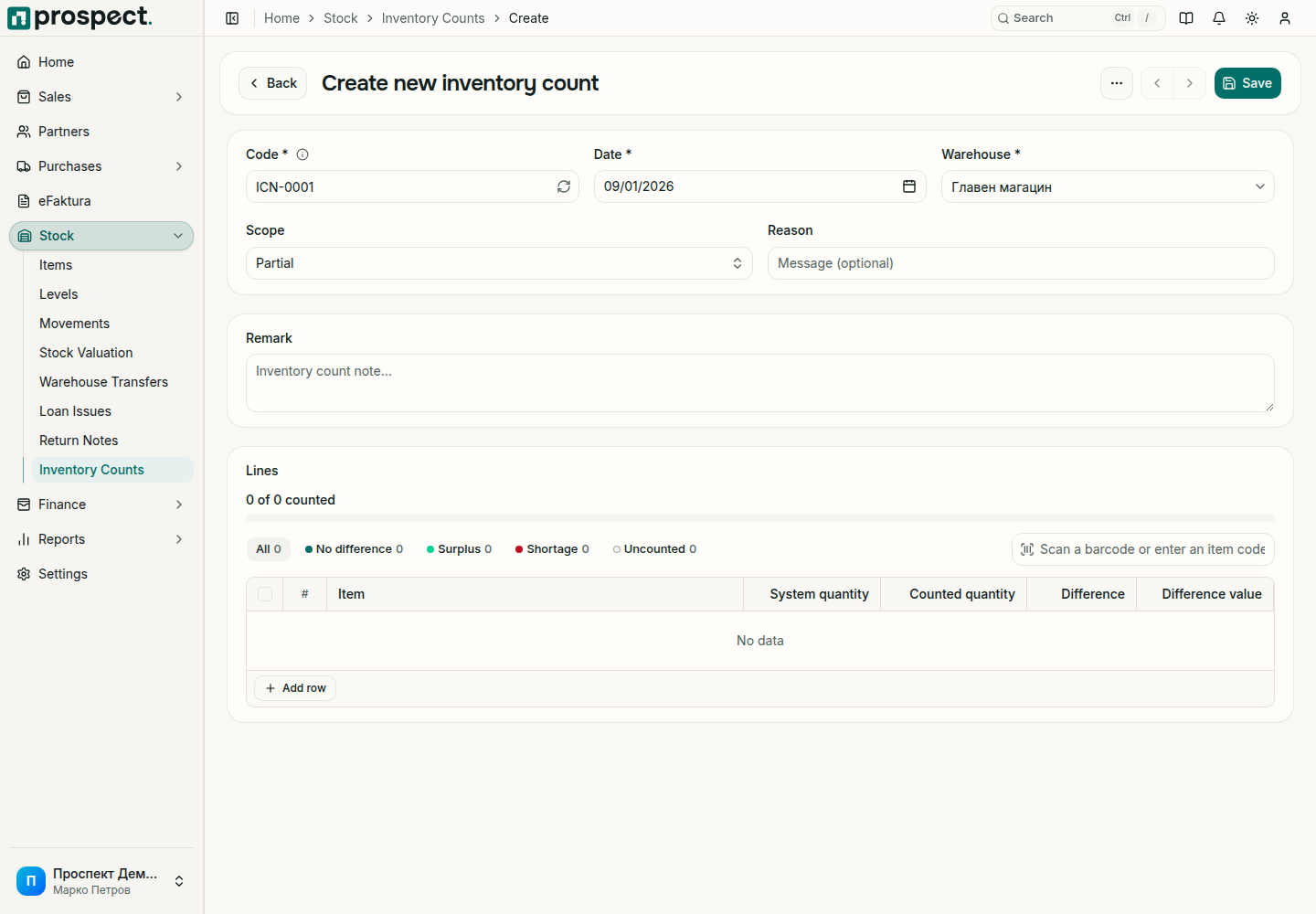
Create a count for one warehouse and the actual count date. Choose Full to list every product in the warehouse, or Partial to add only the products you count.
Enter the physically counted quantities, or scan barcodes: each scan adds one to that product. A line stays Not counted until you enter a quantity, and the progress bar shows how many lines are done. Press Enter to move to the next line.
Save the Draft at any time; you stay on the count. The bar shows how much is counted and how it splits into matches, surplus and shortage; the filters beside it list each group, including what is still Uncounted.
Review the system quantity, the difference and its value; investigate receipts, deliveries, transfers, and returns entered near the count time.
Select Confirm to see what posting will do, then post with the Post inventory count permission.
System quantities are taken as of the count date, on the draft and when you post, so a count dated in the past shows the variance that will actually be posted. Changing the date or the warehouse reloads them; changing the warehouse clears the quantities you already counted, after asking.
Posting sets stock to the counted quantity as of the count date. Prospect recalculates the system quantity when you post, so receipts, deliveries or transfers dated on or before the count date that were entered after you saved the draft are taken into account, and the posted difference is shown on the count. Posting creates adjustment movements for those differences. It does not rewrite earlier history.
Lines you did not count are left unchanged by default. The review before posting lists how many there are and lets you count them as zero instead; use that only when the uncounted products are really not in the warehouse.
The difference value uses the product's average cost as of the count date. A product without a known cost shows no value and is left out of the totals.
A locked period or negative-stock rule may require correction of dates or an authorized override. A Draft can be deleted; stock is not affected. Reversing a posted count requires its own permission, asks for confirmation, and reverses the posted adjustment only when dependencies allow it.
Do not use a count to compensate for a known missing receipt, delivery, or transfer; record the real source document instead.