Getting Started
Configure Document Series
Set reliable numbering for each document type and fiscal year before publication.
Document series control official codes. Drafts may display temporary codes; publishing resolves the active series and prevents duplicates.
Document series
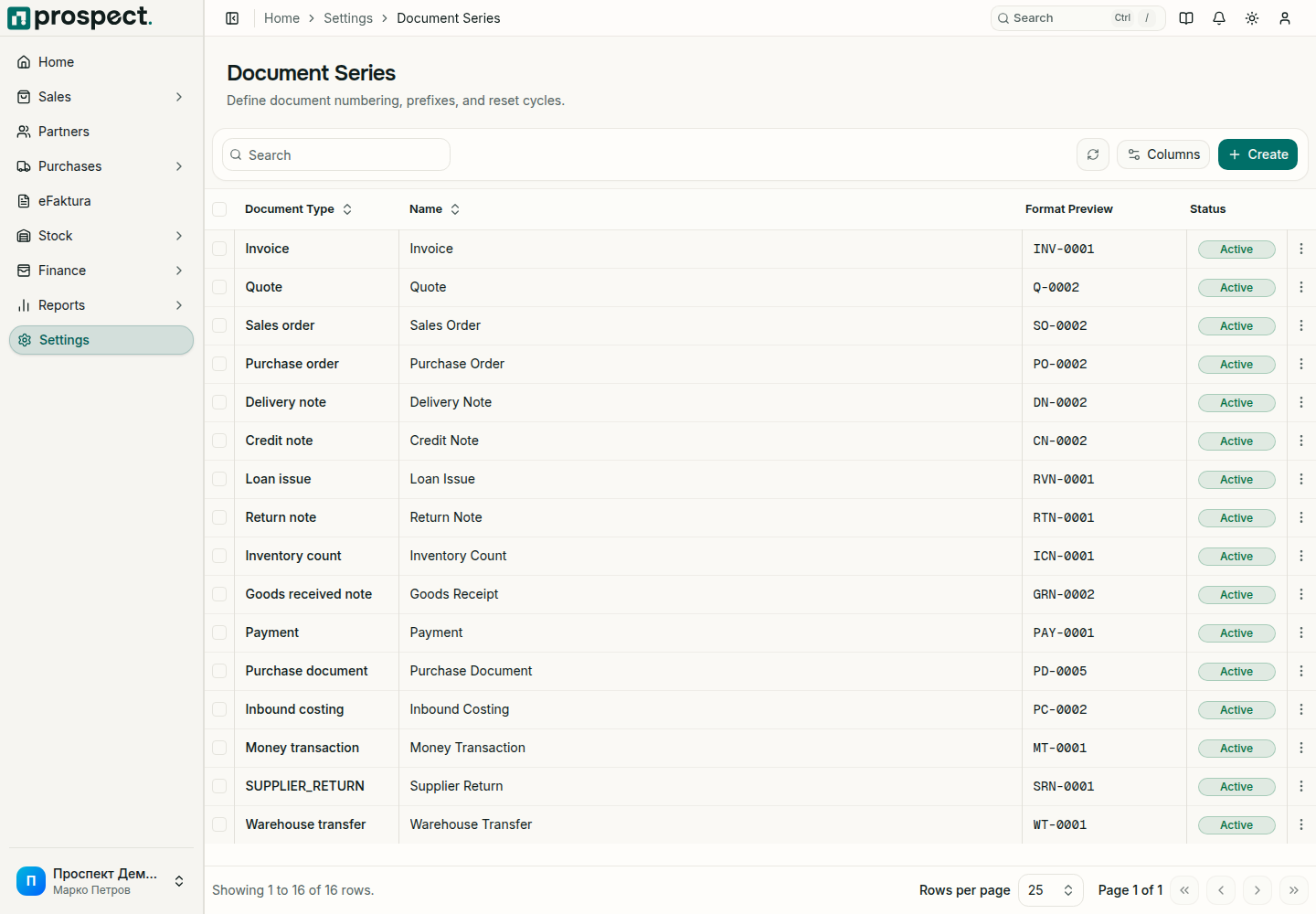
Open Settings → Document Series and choose New.
Select the exact document type and fiscal year.
Set the prefix, next number, padding, and active state; preview the resulting code.
Save and repeat for sales, purchase, stock, and finance documents your company publishes.
A document series
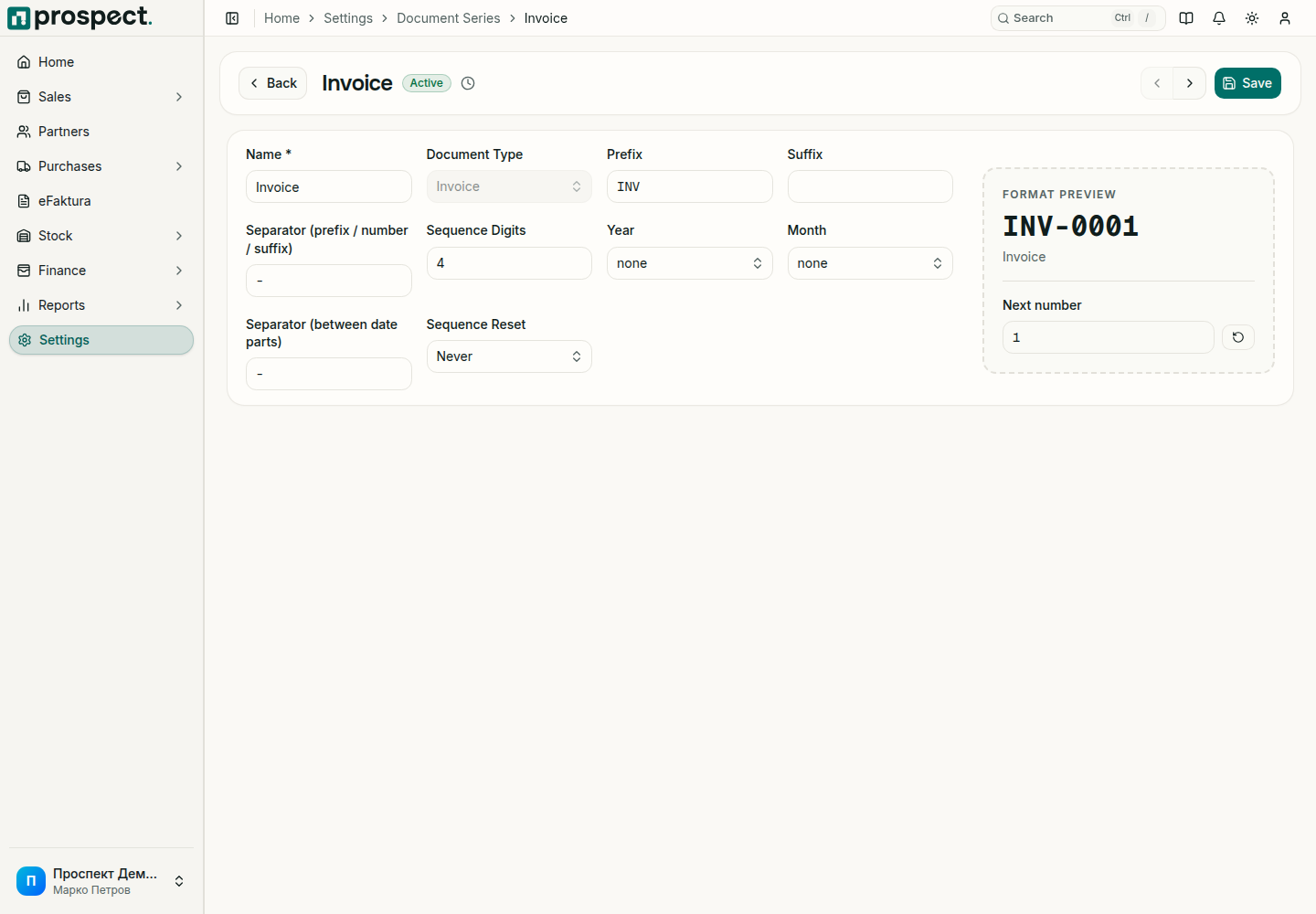
If a user manually changes an official code, Prospect requires confirmation. A duplicate code is rejected. If publishing reports that no series is configured, create or activate the correct series rather than reusing another document type's sequence.
See Fiscal years and locked periods and Document numbering reference.