Configure PDF Templates
Control branded commercial document output and verify it before customer or supplier delivery.
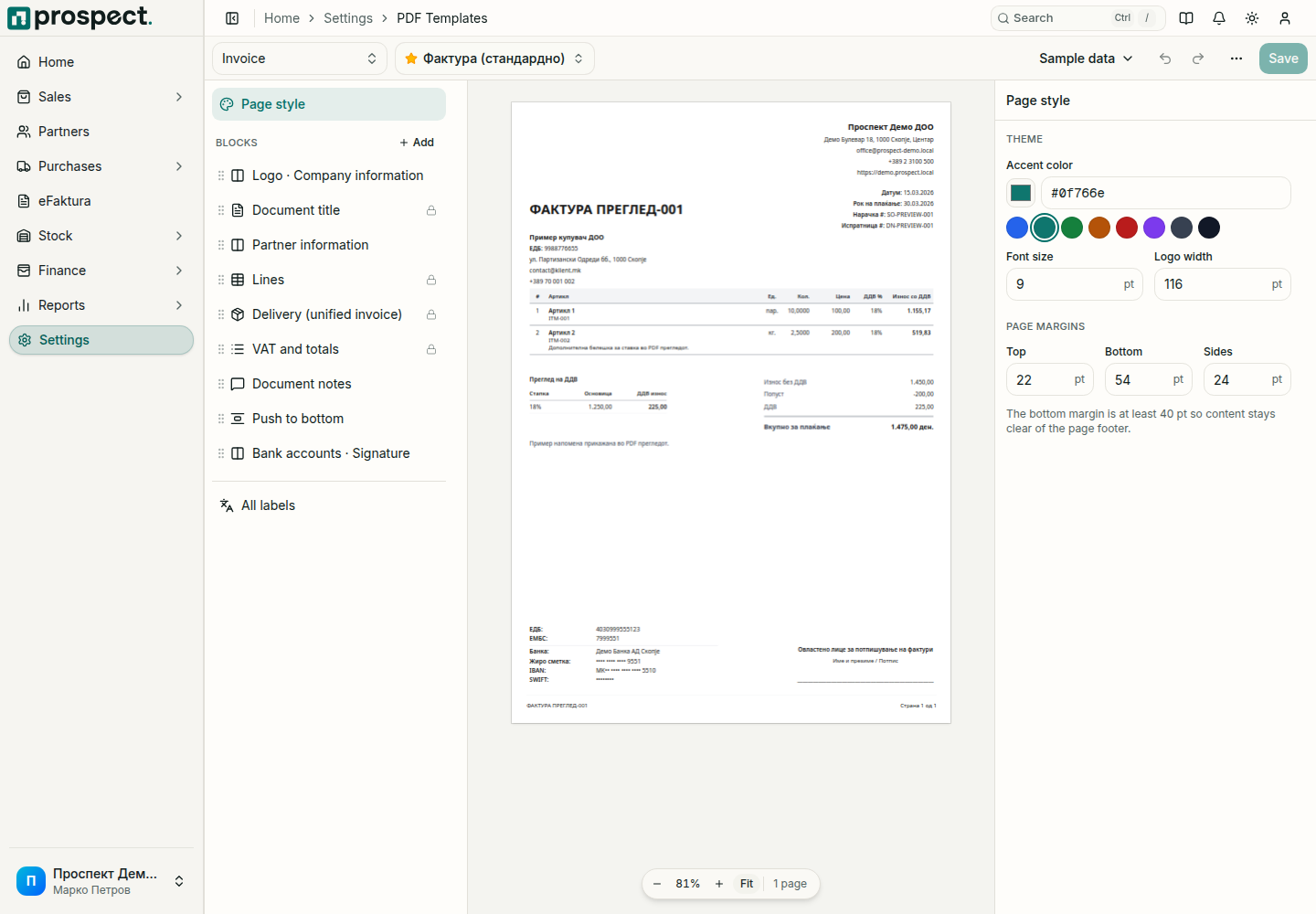
Open Settings → PDF Templates and choose the document type and the template to edit. The editor has three parts: the block list on the left, a live preview in the middle, and the settings for whatever is selected on the right.
Edit the layout
- Click a block in the list or directly on the preview page to open its settings. Each block also shows the labels it prints, so wording can be changed next to the layout.
- Drag a block by its handle to reorder it. Add inserts a new block after the selected one. Blocks marked with a lock belong to the document and can be hidden but not deleted.
- Page style holds the accent color, font size, logo width and page margins. All labels lists every label of the template, with search.
- Undo and Redo (Ctrl+Z, Ctrl+Shift+Z) cover every change, including a deleted block or a layout reset.
Inventory counts have a fixed layout; only their labels can be changed.
The editor needs a wide screen. On a phone or in a narrow browser window it shows a notice instead; open the page on a computer or widen the window. Unsaved changes are kept while the window is narrow.
Check the result
The preview uses your company details with sample lines. Use Sample data to switch to a long document with long names and several pages, and, for invoices, to preview a cancelled invoice. Check both Macedonian and English text used by the company.
Save and manage templates
Changes apply only after Save (Ctrl+S). The editor marks unsaved changes and asks before you switch template, change document type or leave the page. From the template menu you can create, duplicate, rename, set as default or delete a template; a deleted template cannot be restored.
Template changes affect PDFs generated afterward but do not change the commercial data snapshot. Retain previously delivered PDFs when company policy requires exact evidence of what was sent. Never add passwords, certificate secrets, or internal-only notes to public document templates.